A floor plan editor with WebMCP.
An agent in your browser can draw, change and export the plan you have open, to scale. Free, with no sign-in.
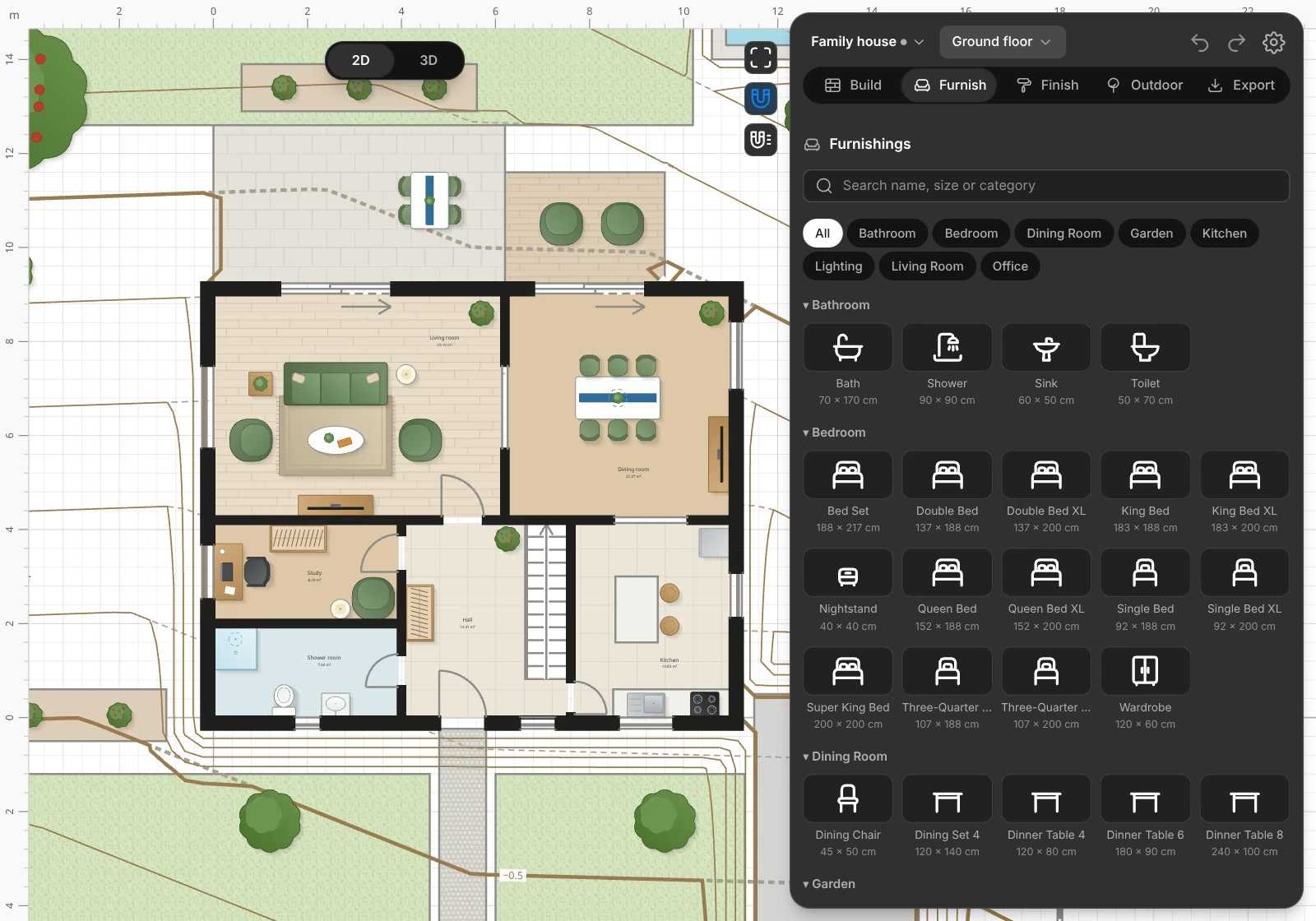
What WebMCP does here.
WebMCP is a proposed web standard. A page offers tools to an agent in the same browser, so the agent does not have to click through the page.
Build in one call.
edit_projectruns a short script that draws walls, doors, windows, stairs, roofs, furniture and gardens, to scale.Read the plan.
describe_planreports rooms and areas, what each door connects, routes from the entrance, and problems such as a blocked door.Work beside you.
You see each change at once, and you can change the plan by hand between the agent's calls. Undo takes back any step.
Hand over real files.
export_plandownloads PNG, SVG, PDF sheets to scale, DXF, DWG and IFC.
Tools.
These tools are on document.modelContext in the open editor.
| Tool | What it does |
|---|---|
get_planning_guide | Returns the workflow and the conventions for designing a house. |
get_editor_state | Reports the title, the floors, the floor in view, 2D or 3D, and the selection. |
describe_plan | Reports rooms, areas, doors, windows, routes and warnings. |
search_furniture | Finds catalog items by words and size. |
query_project | Runs a read-only script for other questions. |
edit_project | Runs a short script against the open plan, as one step of its history. |
undo_change, redo_change | Takes back or makes again the newest change, whoever made it. |
show_floor, show_view | Shows a floor, or switches between 2D and 3D. |
export_plan | Downloads PNG, SVG, PDF, DXF, DWG or IFC. |
Public pages of this site also offer tools to read the site, list shared plans and open the editor. The developer page has the full plan script API.
Try it now.
Open the editor in Chrome 149 or later, open the console with F12, and paste this. On the sample house, a new room appears on the left.
const tools = await document.modelContext.getTools();
const edit = tools.find((tool) => tool.name === "edit_project");
await document.modelContext.executeTool(edit, {
  label: "Add a studio",
  script: `
    const { walls } = plan.room(0, "Studio", [-11000, 0], [-8000, 4000]);
    plan.door(walls[0], 2000);
    return walls;
  `,
});
To ask in words, install the Model Context Tool Inspector extension from Chrome's documentation, and add your own Gemini API key.
WebMCP or the MCP server.
Both run the same plan scripts. Use the one that fits your agent.
| Feature | WebMCP | MCP server |
|---|---|---|
| Runs | In your browser, on the open page. | On our server, at https://simplehouseplanner.com/mcp. |
| Agent | An agent in the browser that supports WebMCP. | ChatGPT, Claude and other MCP clients. |
| Sign-in | None. | OAuth, for the plans in your account. |
| Plan | The one you have open. | Any plan in your account. |
| Open tab | Needed. | Not needed. |
Questions.
What is WebMCP?
A proposed web standard. It lets a web page offer tools to an AI agent in the same browser, so that the agent calls a tool instead of clicking through the page.
Do I need an account?
No. The tools act on the plan you have open, and without an account that plan stays in your browser. If you open a plan from your account, its changes save there.
Which browsers offer the tools?
Chrome 149 to 162, through Chrome's origin trial, which ends on 30 March 2027. In other browsers the tools do not appear, and the editor works as usual.
Which agents can use it?
An agent that runs in the browser and supports WebMCP. To try it now, use the Model Context Tool Inspector extension from Chrome's documentation, or call the tools from the console.
Can an agent damage my plan?
Scripts run in a closed runtime with no network, clock or randomness. A script that fails changes nothing, and undo takes back each change to the building as one step.
Is it free?
Yes. Simple House Planner has no paid plans and no AI credits. The terms of your agent's plan still apply.